
Compare concepts before you commit to one.
Simulation Engine puts your concepts, pages or ads in front of a synthetic buyer panel. Compare preference, Trust, Value and Friction, then use the feedback to improve the version you will test with real customers.
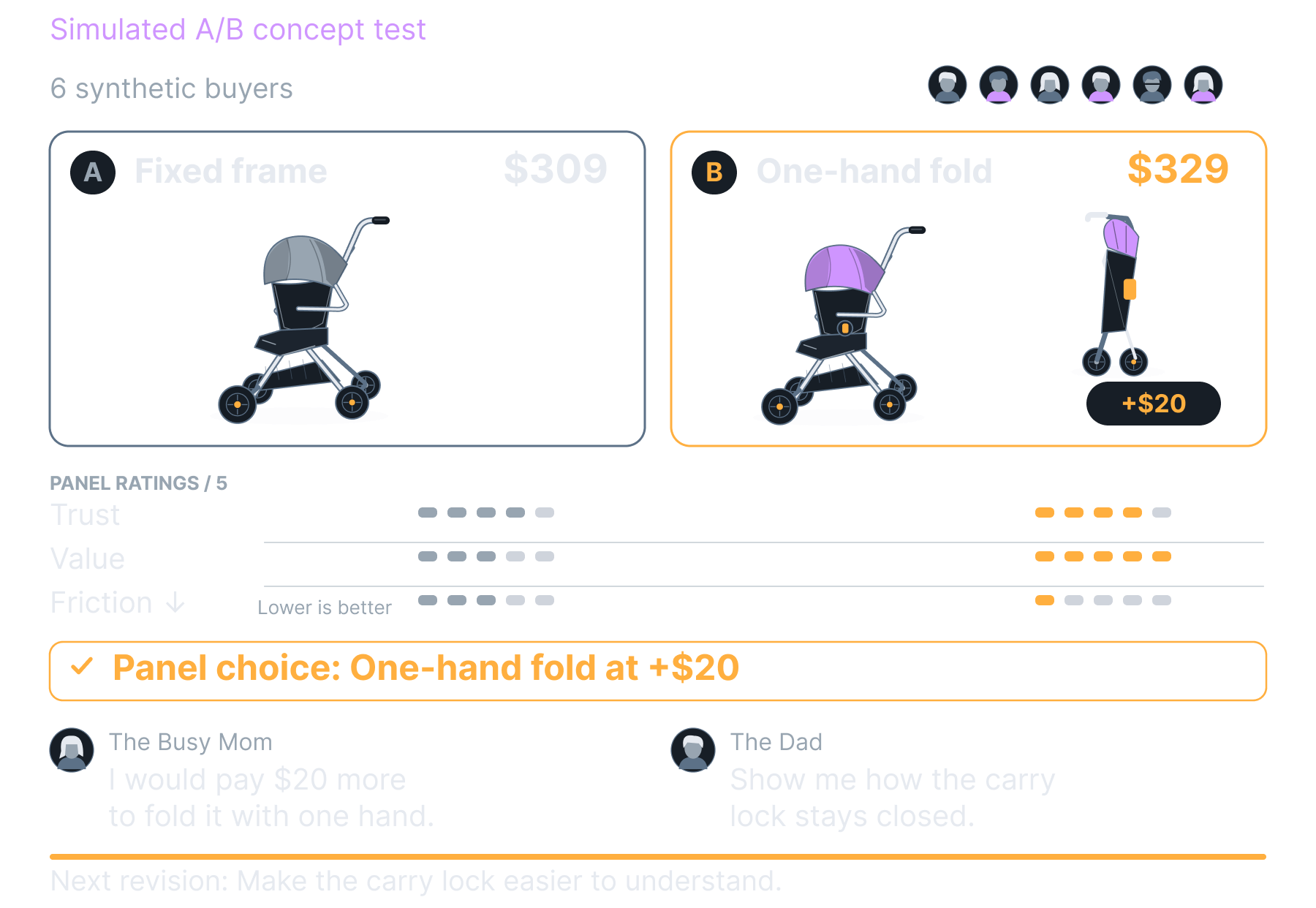
Digital A/B Test
In beta; included with Growth.
Compare the offers your team is already considering.
Bring an existing product concept, service offer, page or ad. Use the synthetic panel to compare alternatives and explain its preferences.
Paste it
Ad copy, a headline, an offer, a set of questions you want asked.
Upload it
An image or a PDF of the creative. The panel reads images.
Point at it
A URL. Your product page, your landing page, your menu, a competitor's.
Link a concept
Anything sitting in your Concept Studio gallery, sent across in one click.
Then pick what kind of test it is.
Put two variants head to head and see which one the panel prefers and by how much. Run the same offer at three prices and watch where buyers stop. Put an ad through before you spend on it. Audit a funnel before it goes live. Or run no asset at all and let the panel raise the friction points your own reviews and your category's complaints already point at.
Use the feedback to decide what to change.
Compare options, investigate objections and refine the version you want to test with real customers.
Get an evidence-backed verdict within minutes without burning your ad budget.
Compare two versions of the same offer.
Ask the synthetic panel to rate alternatives and explain its preference. Use the feedback to choose what to refine or test with real traffic.
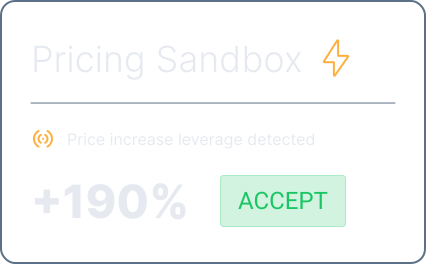
Explore how the panel responds to different prices.
Compare simulated reactions to your pricing options and inspect the reasons. Use the result to plan a real willingness-to-pay test.
Check the message before the campaign launches.
Get synthetic feedback on the ad’s clarity, credibility and appeal, then use it to refine the creative.
Explore possible sources of hesitation before testing your funnel with real traffic.
Find questions your launch page leaves unanswered.
Ask the synthetic panel to evaluate the offer and identify confusing copy or missing reassurance before you launch.

Investigate where the offer could cause hesitation.
Use simulated feedback to identify possible concerns about the page, process or price. Compare those hypotheses with actual customer behavior.

Compare feedback across revisions.
Run the revised page or offer through the panel and compare the feedback. Use real analytics to establish whether conversion improves.
Use synthetic feedback to prepare sharper questions for customer research.
Bring recurring objections into the next test.
Use review themes and category complaints to focus the questions you ask the synthetic panel.

Compare your offer with a competitor’s.
Explore how the panel responds to differences in features, price and trust, then inspect the market evidence behind its reasoning.
Ask a synthetic panel about the next idea.
Get feedback on a proposed feature or service within minutes, then use the questions it raises to plan further research.
Review the result and improve the next version.
Submit the alternatives, examine the synthetic panel’s ratings and read its reasons. Revise the concept or copy before running another comparison.
1
2
3
See how different buyer priorities affect the comparison.
Synthetic personas consider your concepts using market context and different priorities. Their ratings help surface questions and objections for further testing.
How to use the feedback
The personas are synthetic. They are built from public evidence about your market, your own reviews and your competitors' pricing, not from your customers. They surface the objections a real buyer is likely to raise and the places your offer is weak, and every verdict links back to the evidence that produced it. They are not a statistically significant sample and they do not predict sales. That is why the panel is the first pass and real customers are the second.
1
2
3
Blacklisted Features
Recurring Complaints
Choose the buyer perspectives you want to test.
The panel offers ten synthetic personas, with six selected by default. Review who is included so you understand whose priorities shape the feedback.
Use simulation to narrow the options for real customer testing.
Explore alternatives with the synthetic panel, then test the strongest candidates with real buyers. Use the simulation to sharpen that research and the questions you ask.
Inspect the market context behind the panel's feedback.
Choose the research method that fits the decision.
Compare the kind of evidence each method provides. A synthetic panel can help refine an idea; real customer research is still needed to validate demand.
Synthetic feedback can help prepare customer research. It does not measure real demand or replace evidence from buyers.
Develop a concept from the diagnostic first.
Concept Studio can turn a market finding into a product or service proposal. Bring that proposal into Simulation Engine to compare and refine it.
What Concept Studio hands over
Concept Studio reads the same diagnostic the panel is grounded in and returns a named product or service concept with an engineering-level spec, a costed bill of materials, a recommended price and the margin it leaves, plus the renders, the landing page and the ad set.
What the panel does with it
One click sends the whole package here. You get a graded verdict within minutes, the blockers named, and who each fix flips. Fix what the panel blocks, regenerate, run it again.
What it costs
Concept Studio is in beta and included with Growth, the same plan as the panel.